 1 / 3
1 / 3About Saber B1 car
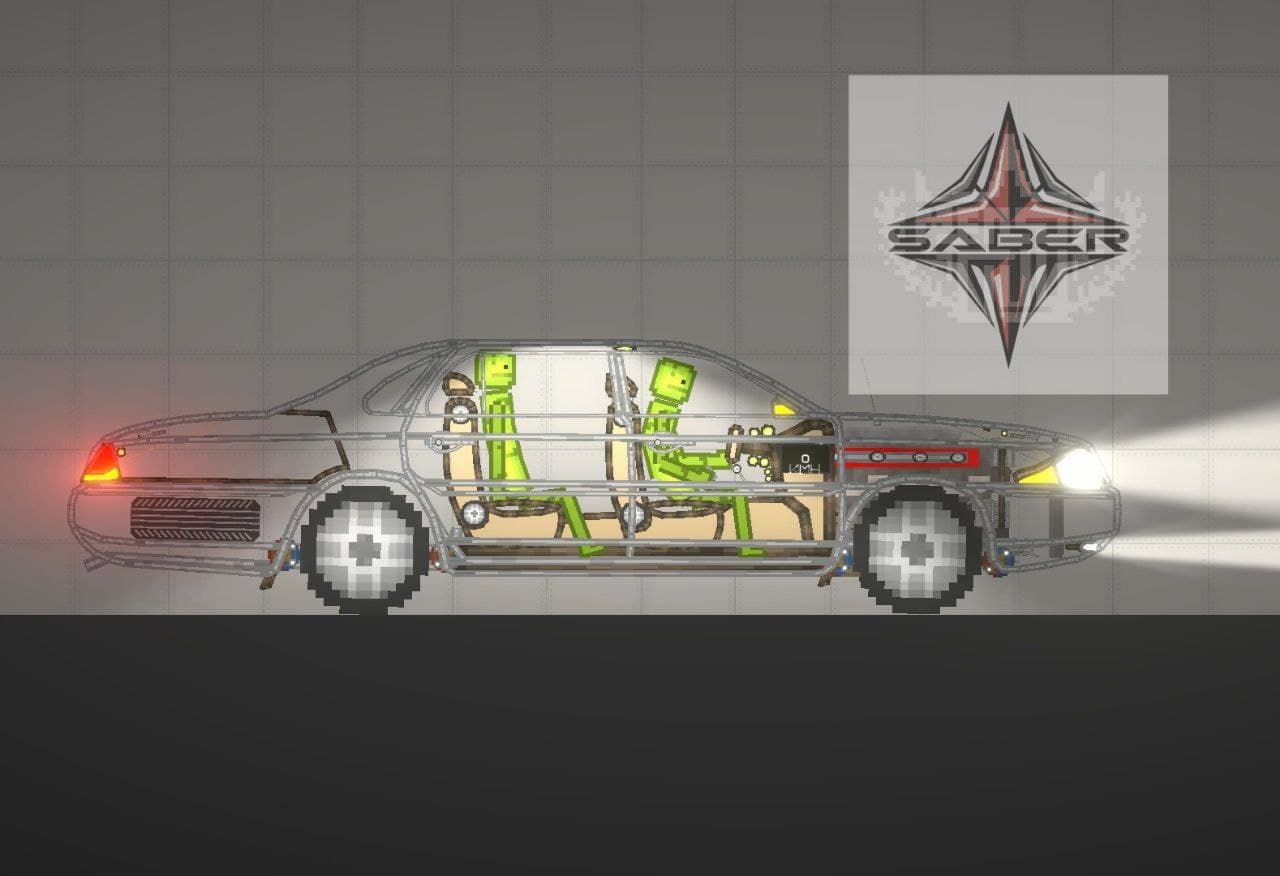
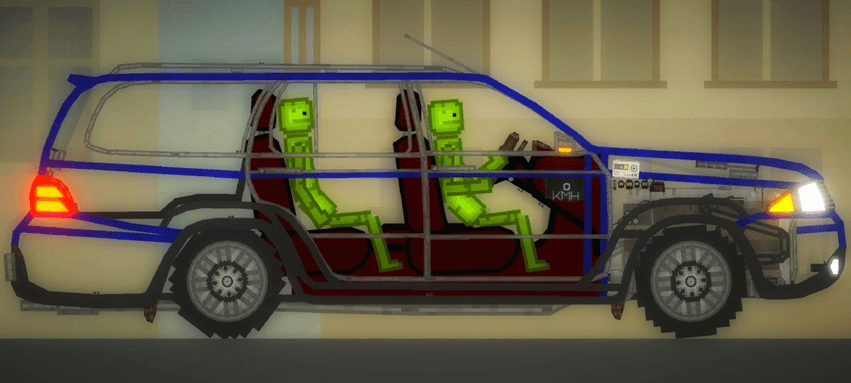
3 melsave • Three trim levels are available, each with a different optimization level: Saber B1 Max, Saber B1, and Saber B1 Lite. • Controlled by a controller. • Magnetic brakes. • Low beams, fog lights, interior lights, and hazard lights are functional (the Lite version lacks some features). • Red and white lights come on when braking and reversing. • Drives forward and backward. • Hood and trunk lock. (!)All versions must be paused for spawning, otherwise there will be bugs! (!) A Word file with the Saber B1 manual is included This save game was created by: Build Lead: @Super_Saber_2007 @Hekotin2003 @HontiOfficial @Eastern81 @KOMMUNIST_1945 ─────────── Controls (see Fig. 1) To start controlling the vehicle, turn on the controller. The pedals move the vehicle forward and backward. The hood and trunk sliders open and close their locking devices. To prevent one of them from opening, the hood and trunk are initially locked. To open one, pull it to the left. The hazard warning, low beam, high beam, and interior beam sliders are initially off. To activate them directly, pull the slider to the right (some of the sliders shown in Fig. 1 may not be available on the Saber B1 Lite model). The "Brake" button activates the vehicle's braking when pressed. Vehicle trim levels (see Fig. 2) The Saber B1 is available in three trim levels, depending on the level of optimization: 1. Saber B1 Max – the full-featured version, with no trimmings. 2. Saber B1 – the mid-range trim level, with simpler seats, no wheels, and a streamlined engine compartment. 3. Saber B1 Lite – the minimum trim level, with one seat, a streamlined engine compartment, and some electrical features.
- 1Download the .melmod fileTap Download .melmod. If your browser renames it to .zip or .bin, rename it back to .melmod.
- 2Move it to the Mods folderPut the file in Android/data/com.studio27.MelonPlayground/files/Mods/ — or open it with the Nolem Playland app to skip this step.
- 3Restart Melon PlaygroundClose the game fully, then open it again so it loads the new mod.
- 4Find it in the item menuOpen any map, open the item menu and look in the Vehicles category.